Buttons that say what they do
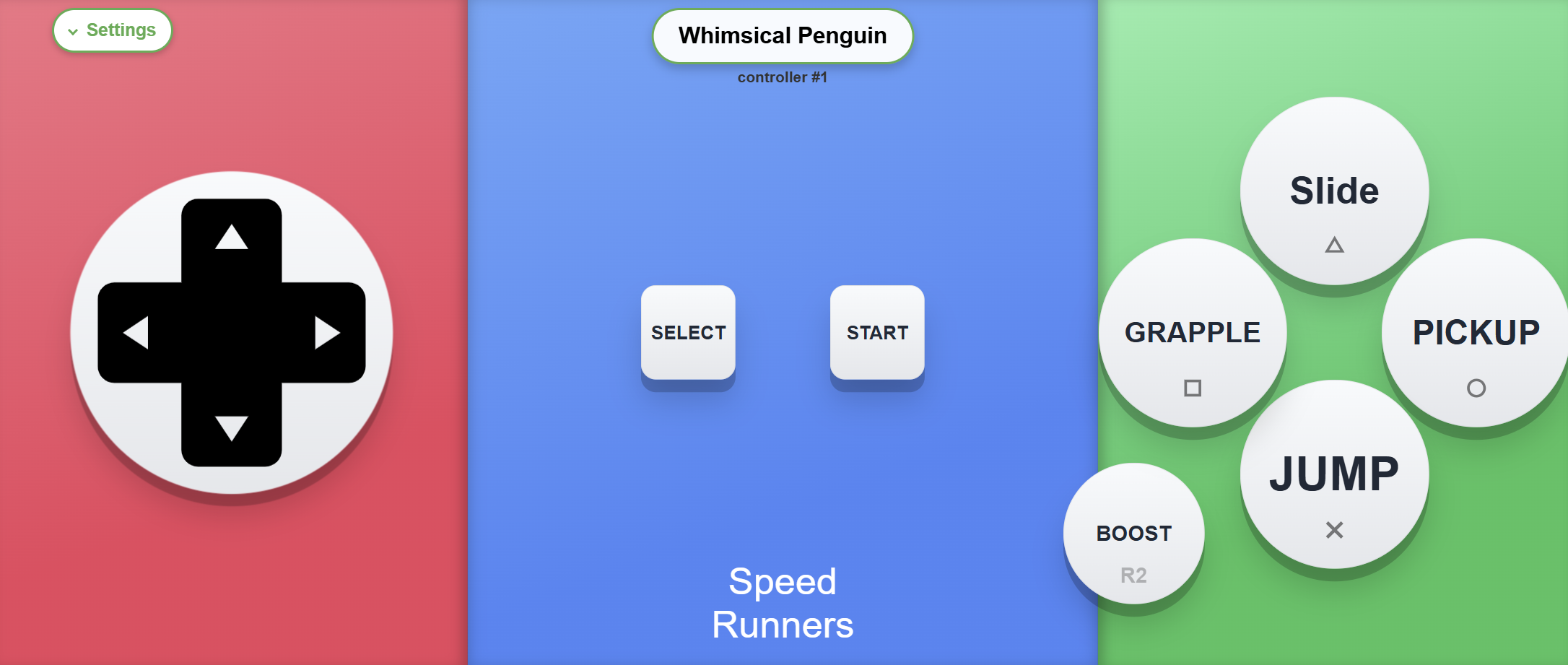
A blank gamepad is fine when everyone already knows the game. At a couch party, half the room doesn't, and you end up explaining the layout instead of playing.
QR Controller puts the answer on the phone. The button says CHOP, or JUMP, or PASS, DRS, FIRE, ROTATE, whatever the game actually needs. Guests look at their screen once and they're in, no control map needed.
Why that matters at a party
People show up with different levels of gaming experience. Some game all week, some last touched a controller at Christmas. Labeled buttons level that out. Parents, siblings, and friends who "aren't gamers" can join Overcooked or Pico Park without you hovering over their shoulder.
It also keeps eyes on the TV. On a normal pad you're glancing down to find the right face button. On a labeled phone layout, the word JUMP is right there under your thumb.
Every shipped layout uses this
Overcookedsays CHOP and PICK UP.Broforcesays FIRE and MELEE.FCspells out Pass, Through, and the weird modifiers so nobody has to memorize a combo chart. Racing layouts put Rewind, DRS, and Overtake on big labeled hits.
Want your own wording? Thecontroller editoris the same tool I use. Drag a button on, type what it should say, and map it to a normal gamepad input. The game still sees a regular controller.
If you want the easiest way todo couch co-op with people who don't already know the binds, labeled buttons make a big difference.
Want to try it?QR Controller is on Steam with labeled layouts built in. Friends scan a QR code, the buttons already say what they do, nothing to install on their phones.