Building your own layout in the editor
Every layout QR Controller ships was built in the same editor you get. There's no special dev version. You drag buttons, sticks and sliders onto a phone-shaped canvas, move them to where your thumbs actually sit, and size them so nobody's hunting for a tiny button in the middle of a match.
The part that matters most is the text. Every control can say what it does. Not X and Y, but CHOP and JUMP and DRS. When a friend picks up a phone they've never seen before, the labels tell them exactly what each button does, no need to explain the controls.
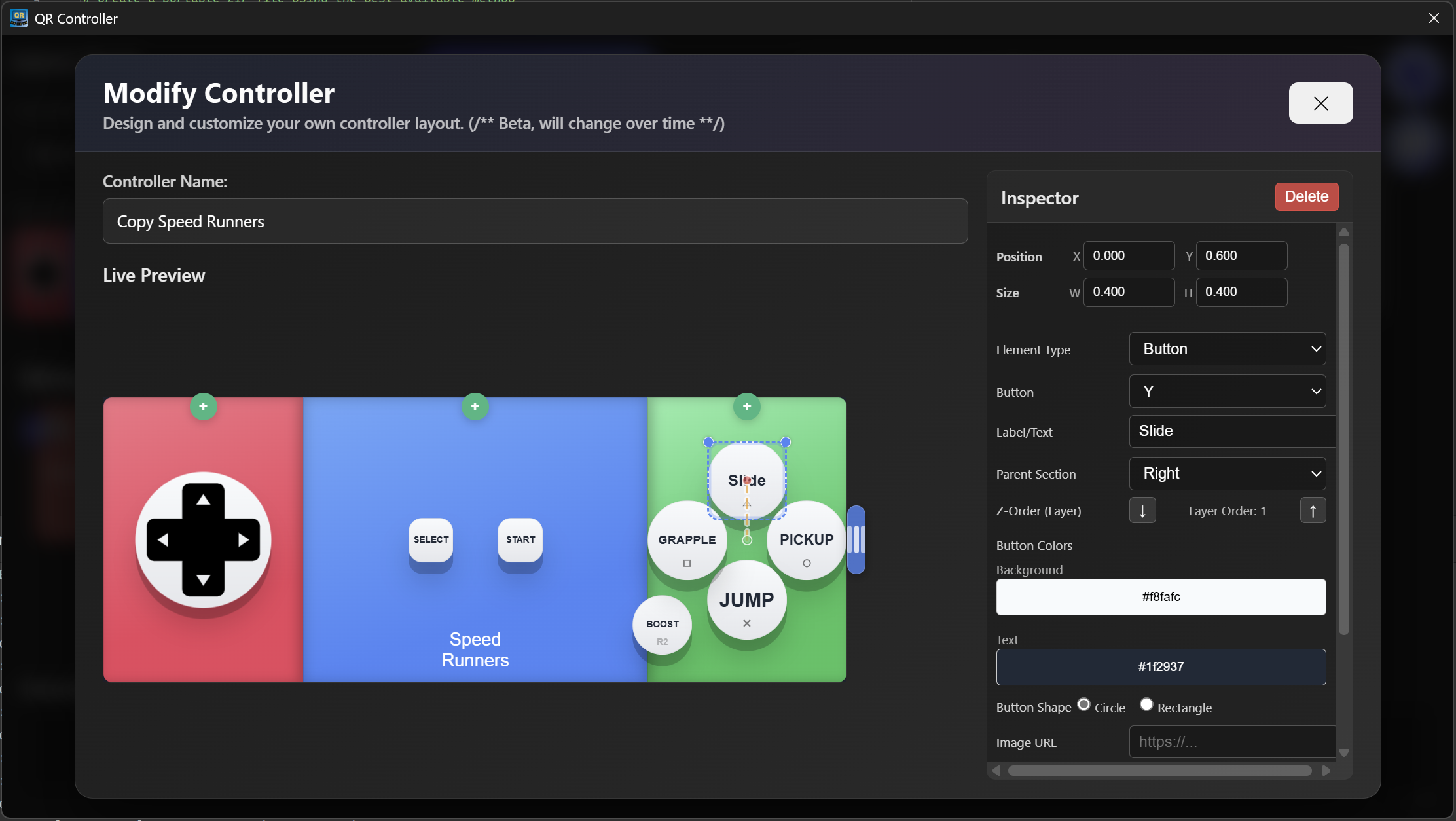
Under the label, each control maps to a normal gamepad input, so the game just sees a regular controller, even though it's a phone. Rearrange a preset you already like, or start from a blank phone and build your own.
When you land on something good, you don't have to keep it to yourself either. You can put it on theSteam Workshopso other people can grab it.
Want to try it?QR Controller ships with layouts for a bunch of games, and the editor is right there when you want your own. Friends scan a QR code to play, nothing to install.