How to host a zero-faff couch party
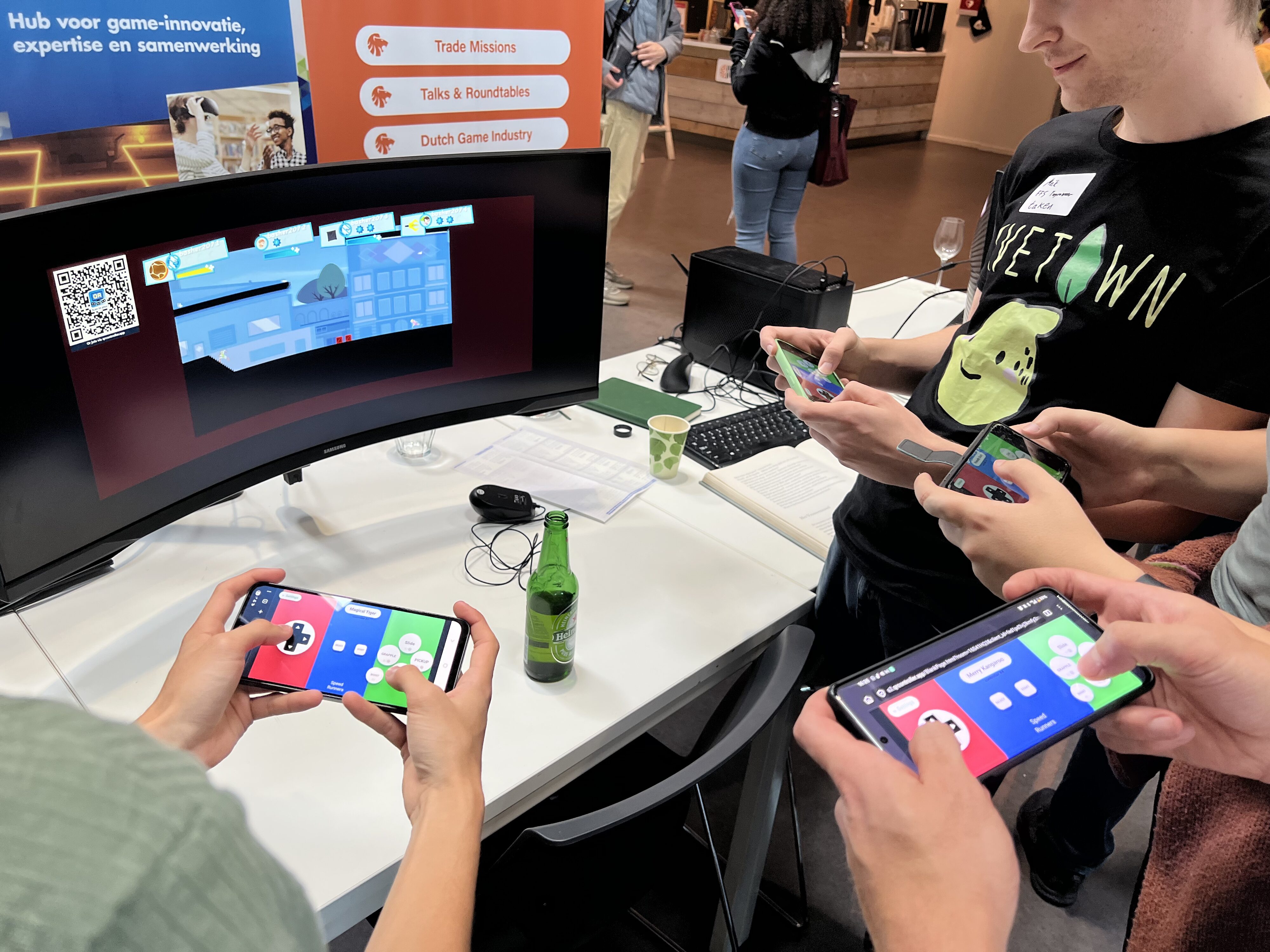
Couch co-op nights often start with digging through a drawer for a fourth controller, one pad out of battery, another that won't pair. It can eat twenty minutes before anyone is in the game.
QR Controller was built to skip that whole mess. Put a QR code on the TV, friends scan it, their phone is a controller. The PC sees a normal gamepad. Any game that supports gamepads will work just like that!
The problems it removes
Not enough controllers, controllers out of battery, Bluetooth pairing that takes forever, and explaining which blank face button does what before anyone can play.
Everyone already brought a charged phone. That's the controller. No extra hardware to find, charge, or sync.
Here is what hosting looks like
- Install QR Controller from Steam on the PC (Windows, macOS, SteamOS and Linux).
- Pick the layout for the game you're about to play: Overcooked, Pico Park, Broforce, racing wheels, whatever tonight's game is.
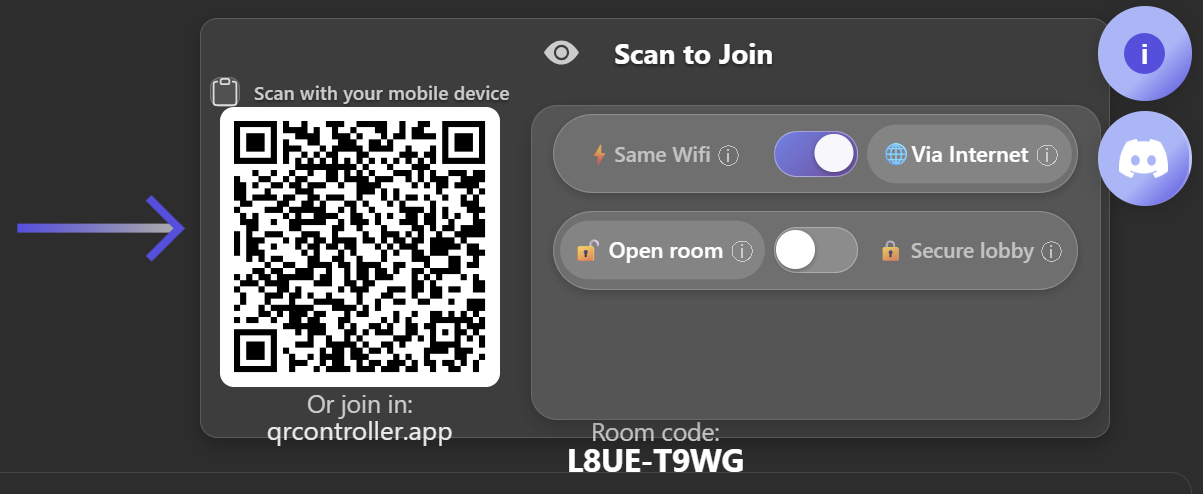
- Put the join QR code on the screen. Same WiFi is fine, and Via Internet is the "just works" option when the home network is being weird.
- Everyone scans with their phone camera. The controller opens in the browser. Nothing to install, no accounts.
- Start the game. From its perspective, its the same as plugging in real controllers!
Use internet mode so connection works every time
Same WiFi is great when the network cooperates, but guest devices and router settings can get in the way on party nights. Flip the connection to Via Internet, scan the fresh code, and phones join through qrcontroller.app instead of going through your LAN.
That one switch avoids the whole "why can't I connect" conversation. If you want zero faffing around, just leave it on Via Internet for game night.
Browser join, or the companion app
Most people just scan and play in the browser. Fastest path, zero installs, perfect when someone doesn't want another app on their phone.
If a camera won't scan, they can open qrcontroller.app, hit Join Room, and type the room code. Still no install. Still a gamepad on the PC.
There's also a free companion app on iOS and Android if you want native fullscreen, orientation lock, motion steering, and haptics. Handy for racing nights. Totally optional for a normal couch party.
Buttons say what they do
The buttons say CHOP and JUMP instead of X and A, so guests don't need a control map. Seebuttons that say what they do.
Need more than four players on Windows? QR Controller keeps adding phones, seeDInput vs XInput. Eight-player Pico Park nights work great!
If you want the easiest way todo couch co-op, this is it: one Steam install on the host, everyone else scans a QR Code, and thats it!
Hosting tonight?QR Controller is a one-time purchase on Steam for Windows, macOS, SteamOS and Linux. Friends scan a QR code and play in their browser, nothing to install.