How to play Tetris Effect with a phone controller
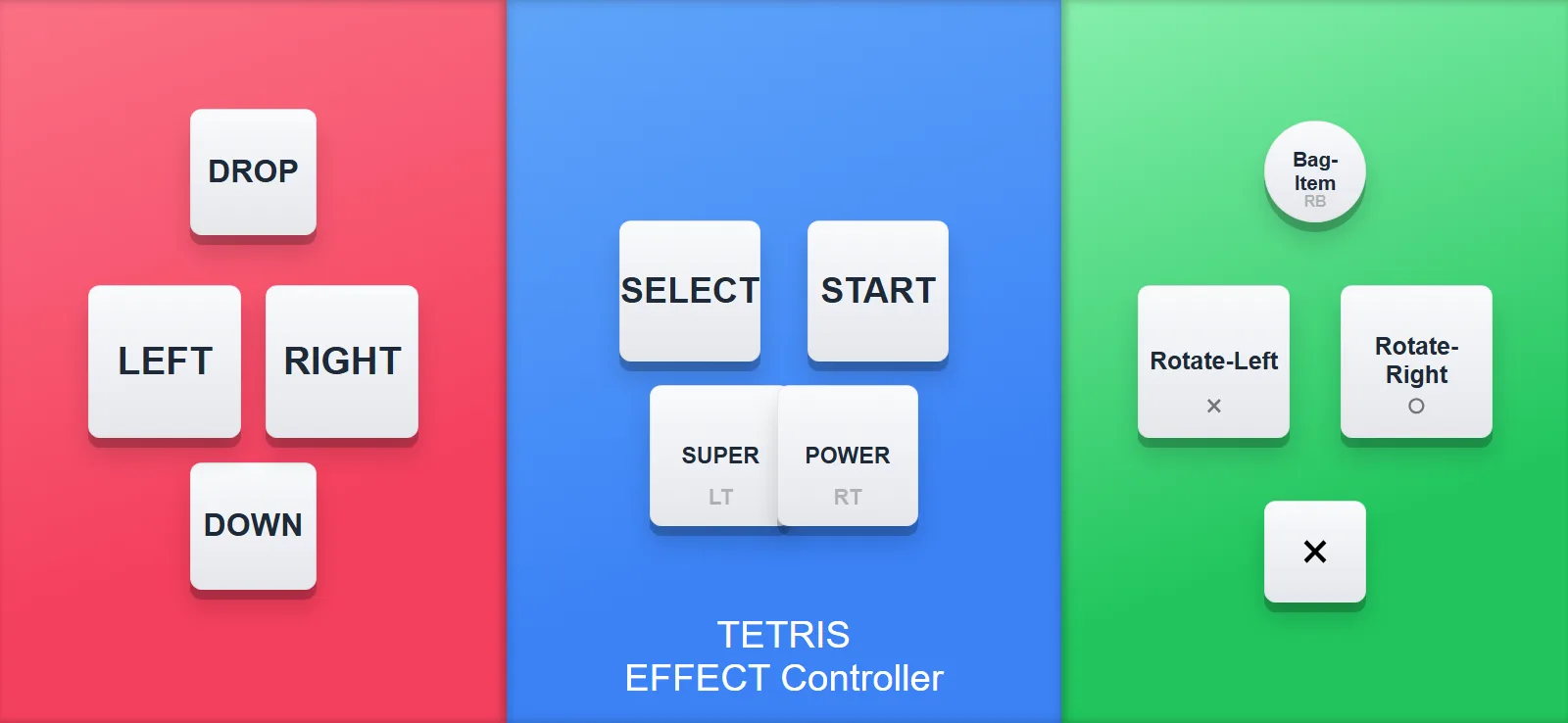
Rotate left and rotate right are different buttons in Tetris, and on a blank gamepad it's easy to mix them up. On this layout the buttons say Rotate-Left and Rotate-Right, so you always know which is which.
Here is what using it looks like
- Open QR Controller on the PC and set Controller Type to the Tetris Effect layout.
- Scan the QR code with your phone camera. The controller opens in the browser.
- Start Tetris Effect. The game sees a normal gamepad and the blocks start falling.
- If a friend wants to join the multiplayer modes, add another controller slot and they scan the same code.
What's where
Movement is on the dpad, up is drop, and the Tetris Effect abilities sit on the triggers, labeled like everything else. It's a compact layout. You're mostly tapping, not holding, and there's no stick precision involved, which makes Tetris a really natural fit for a touchscreen.
Tetris Effect on a big screen with the sound up is a great experience. And when a friend wants in on the multiplayer modes, they scan the code and they're playing!
Want to try it?QR Controller is on Steam and this layout ships built in. Your phone connects from the browser in seconds.