How to play SpeedRunners with phones as controllers
The photo on the front page of this site is people playing SpeedRunners. It's my go-to game for showing off QR Controller, since it only needs five buttons and it's a blast with four people. Getting four players in takes about twenty seconds.
Four players, twenty seconds
- Open QR Controller on the PC (grab it from Steam first if you need to).
- Pick the SpeedRunners layout under Controller Type and add a controller for each player.
- Everyone points their phone camera at the QR code on the TV. The controller opens in the browser, buttons already labeled.
- Boot SpeedRunners and press JUMP to join in the lobby, same as any gamepad.
JUMP, GRAPPLE, Slide, PICKUP, BOOST. Here's the actual layout:
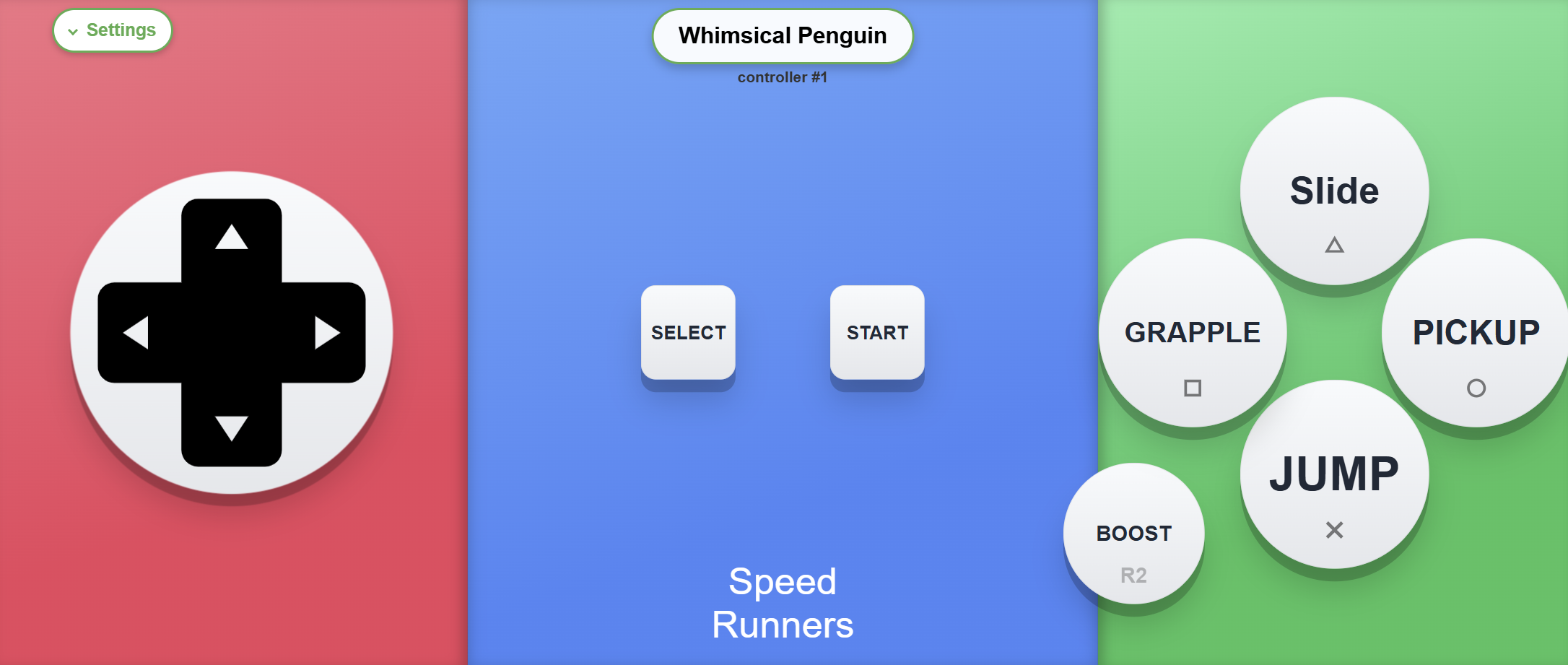
The layout
SpeedRunners is a twitchy game, so the layout is kept minimal: five labeled buttons and a dpad, placed so your thumbs never have to travel.
It's also a great game for showing friends how this works. They scan the QR code on the TV and about twenty seconds later they're racing, no extra controllers needed.
Want to try it?QR Controller is on Steam and the SpeedRunners layout ships built in. Friends scan a QR code and race, nothing to install.