How to play F1 2025 with your phone as the wheel, DRS included
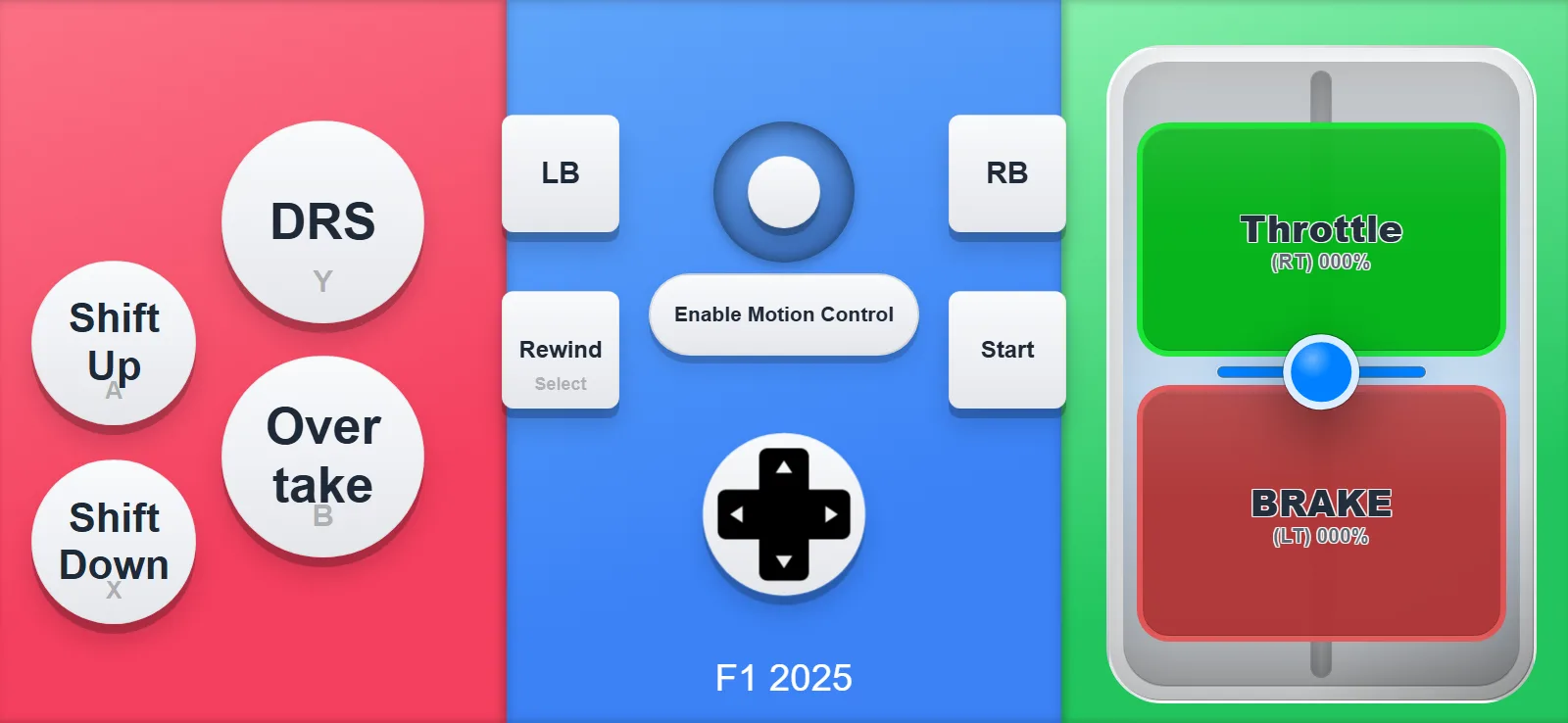
The F1 2025 layout has labeled DRS and Overtake buttons. Here's how to get it on your phone, and how to tune the steering if you want.
Here is what using it looks like
- Launch QR Controller on your PC. It's on Steam if you don't have it yet.
- Choose the F1 2025 layout under Controller Type.
- Scan the QR code with your phone camera and the wheel opens in the browser. The game sees a standard gamepad!
- For motion steering, use the free companion app, or change the connection to Via Internet and rescan.
- Hold the phone sideways, tap Enable Motion Control, and take the formation lap.
DRS and Overtake
DRS and Overtake are big, labeled, and sit where your thumb rests while you're holding the phone like a wheel. You can hit them without looking down!
If the steering feels too sensitive, drop the sensitivity a little in the layout editor.
Throttle and brake share one slider so you get partial throttle. Shift Up, Shift Down and Rewind round it out.
Want to see tilt steering in another sim? TheACC guidehas a video of the same wheel system.
Want to try it?QR Controller is on Steam and this layout ships with it. One QR scan and your phone is an F1 wheel.